 Deal Scanner
Facebook Marketplace
Free Facebook Marketplace alerts, what is actually free and what it is worth
Facebook's own saved-search notifications are free. So are a couple of one-search app tiers and some desktop programs. What each one actually does for you, and why the alert that matters is the one on the phone in your pocket.
The whole point of a Marketplace alert is that your phone is on you. Wherever you are, it buzzes when the thing you want is listed, and if it is a good deal you are the first one to message the seller. Anything that does not put the alert on your phone, reliably, from a watch that never stops, is not the same thing however free it is. With that as the test, here is what is actually free, what each one is worth, and why Deal Scanner's $3.99 a month exists.
Facebook's own saved-search notifications
Free, built in, and worth setting up. Run a search in Marketplace, save it, and turn on the saved-searches notification category in Marketplace settings. Facebook then notifies you when the saved search has new results. Our step-by-step guide shows where every switch is on iPhone, Android and desktop.
What it is worth: it is on your phone, which is the main thing, and it costs nothing. What it does in practice: it doesn't work. Not "a little slow." In our use the notification arrives hours late and sometimes a day or more after the listing, long after the good ones have sold. The filtering is loose, so a search for one chair buzzes for every chair. It turns itself off, and you only find out by checking by hand, which is the thing it was supposed to replace. There is no low price limit and no negative keywords, it lands in the same pile as every other Facebook notification, and it only covers Facebook, so the same couch on OfferUp and Craigslist goes unwatched. If the notifications stop, see notifications not working.
Meta's AI
Meta AI's shopping mode can search Marketplace listings near you when you ask it, and Meta's Muse agent, out since September 2026, can search and filter listings and draft a message to a seller. We have used both, and they do not replace an alert. They are a chat: you ask, it looks, you read the answer, and nothing stands watch after that. The listing that goes up an hour later goes up unwatched. It is also slow and awkward to use for this, because reading listings inside a conversation is not how anyone wants to shop. Getting Marketplace alerts works as a standalone app built around that one job, on the phone in your pocket, which is what Deal Scanner is.
One-search free tiers on a few apps
A few alert apps have a free plan with one search, checked once an hour or, after the first day, once a day. A listing that goes up at 9:05 and sells by 9:40 is gone before an hourly check sees it, which is the case for most of the things people actually want. These tiers exist to get you to the paid plan, and the paid plans are priced like business software.
The free desktop programs
There are free programs for Windows and Mac that watch Marketplace and send an alert to your phone. They are not in the same category, and here is why: the watching runs on the computer. The moment the laptop sleeps, the lid closes, or the PC reboots for an update, the watching stops, and the listing you wanted goes up while nothing is looking. An alert system you have to babysit at a desk is not an alert system; it is a browser tab with extra steps. The phone is the point.
What $3.99 gets you
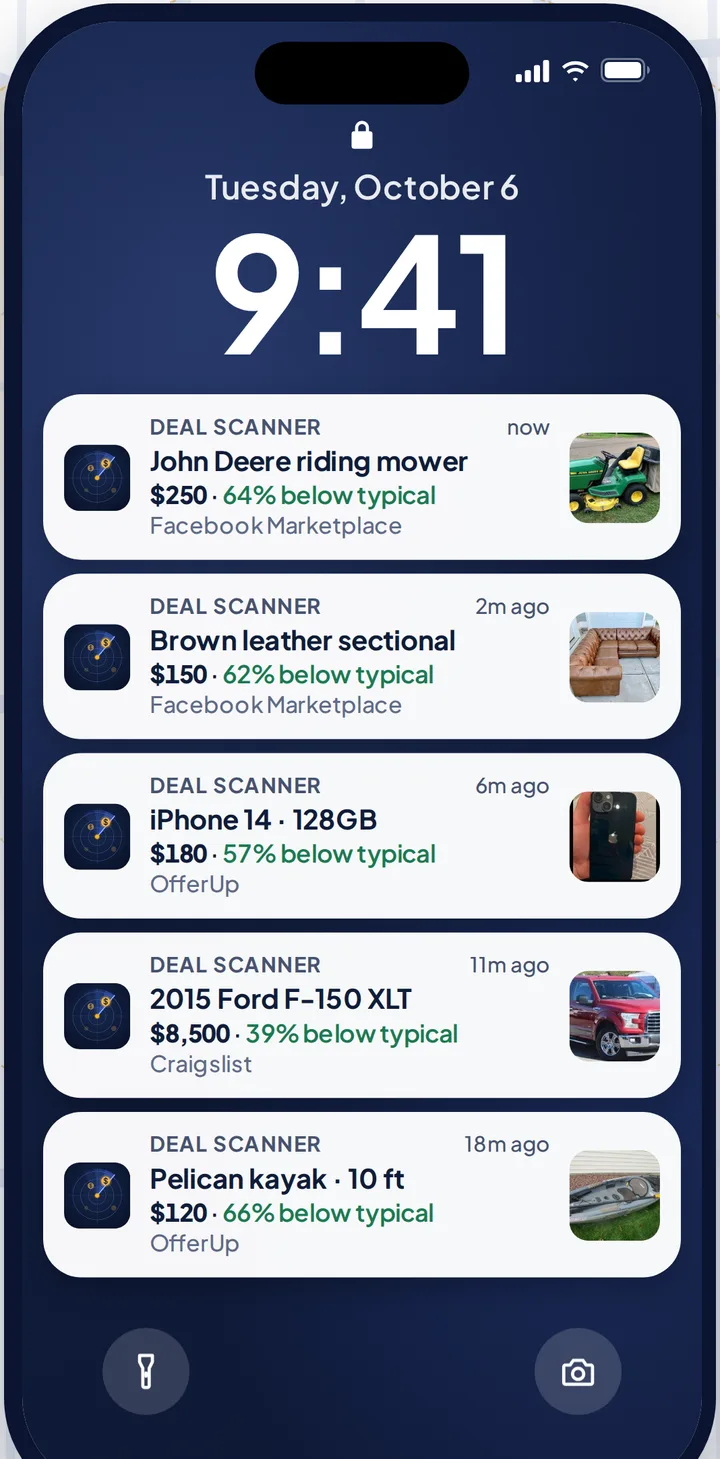
Deal Scanner watches Facebook Marketplace, OfferUp and Craigslist from one search, on our servers, around the clock, with your phone in your pocket and the app closed. It buzzes you when a listing is posted, with the price, the marketplace, when we found it, and a Deal Score showing how far under the typical price near you it sits. A low price limit and a relevance filter keep the junk off your phone. No Facebook login, no account. Three searches are $3.99 a month, six are $9.99, twelve are $19.99, and you cancel anytime in your phone's subscription settings. Only after one thing? Pay for the month you're looking and cancel when you've got it. It is built for everyone who checks Marketplace every day, whether flipping is your side thing, your whole job, or not the point at all.
How to turn on Facebook's free alerts
- In the Facebook app, open Marketplace and search for the item. Set the price cap and the distance.
- Tap the bell (or Notify me) next to the search bar to save the search.
- Open Marketplace profile, then Settings, then Notifications, and make sure saved searches is on.
- Check your phone's own settings allow notifications from Facebook.
Every switch, with screenshots for iPhone, Android and desktop, is in how to set up Facebook Marketplace alerts.
Getting the most out of a free alert
- Name the thing. "Milwaukee M18 drill," not "tools." A broad search buzzes constantly and you stop reading it.
- Set the price cap. It's the only filter Facebook gives you, so use it. There's no low limit, so the $15 accessory still comes through.
- Save two searches for two names. Sellers who don't know the brand write "mesh office chair," not "Aeron."
- Check the bell every few days. Facebook's saved searches turn themselves off. The only way to know is to look.
- Keep Facebook's notifications allowed on your phone. A Focus mode or battery saver that blocks them blocks the alert too.
FAQ
Can I get Facebook Marketplace alerts for free?
Yes. Facebook's own saved-search notifications are free and land on your phone, hours to days late in our use, with loose filtering, Facebook only, and no low price limit. Deal Scanner is $3.99 a month, cancel anytime.
Is there a free Facebook Marketplace alert app for iPhone?
A couple of apps have free tiers with one search checked hourly or daily. Facebook's own notifications are free in the Facebook app. Deal Scanner is $3.99 a month for three searches on three marketplaces.
Are the free desktop Marketplace alert programs any good?
They watch only while a computer stays on and awake. When it sleeps, the watching stops. For an alert that reaches your phone wherever you are, the watching has to run somewhere that never sleeps, which is what Deal Scanner's servers are for.
Why does Facebook's free alert come so late?
Facebook does not say how often it re-checks a saved search. In our use the notification arrives hours and sometimes a day or more after the listing, which is the reason alert apps exist.
Is there a free trial of Deal Scanner?
No. It's $3.99 a month, and you cancel anytime in your phone's subscription settings, so trying it costs one month.
How do I know Facebook's alert has turned itself off?
You don't, until you check. Open the saved search and look at the bell. If a search that buzzed last week has gone quiet, re-save it; that usually restarts it for a while.
Sources checked
Facebook Help Center, "Turn your Marketplace notifications on or off"; the free plans and desktop programs as described on their own sites. Checked October 26, 2026.
Also: Facebook Marketplace alerts OfferUp alerts Craigslist alerts Compare 14 alert apps Alert app for iPhone and Android Marketplace scanner Marketplace monitor One app for all three Notifications not working? Set up Facebook's own alerts Swoopa alternatives Swoopa pricing Flipify alternatives DealScout alternatives