 Deal Scanner
Facebook Marketplace
How to delete a saved search on Facebook Marketplace
How to delete a saved search on Facebook Marketplace in the app and on a computer, how to stop its notifications if you can't find it, and what to do when a saved search keeps coming back.
To delete a saved search on Facebook Marketplace, run that search again and turn its bell off. In the app, tap the Marketplace search bar, pick the saved search (or type the same words), and on the results page tap the bell or Notify me so it goes off; some versions also show an X or a three-dot menu next to the saved search under the search bar. On a computer, search the same words in Marketplace and click Notify Me under the search bar to turn the alert off. If you can't find the search at all, kill its buzzing instead: Marketplace → your Marketplace profile → Settings → Notifications → Saved searches off. Facebook doesn't publish a help page for deleting saved searches, so the labels below come from its notification help pages and our own use, as of November 2026.
Saved search, saved item, recent search: make sure you're deleting the right thing
Three things on Marketplace sound alike, and deleting the wrong one doesn't stop the buzz.
| What it is | What it does | How to get rid of it |
|---|---|---|
| Saved search | A search Facebook remembers and notifies you about | Turn its bell off (this page) |
| Saved item | One listing you tapped Save on | Open it and tap Saved to unsave it |
| Recent search | Your search history | Settings → Accounts Centre → Your information and permissions → Search history → Remove |
If the notification says something like "new listings for snowblower near you," that's a saved search. If it says a listing you saved dropped in price, that's a saved item. Clearing your search history does nothing to either.
Delete a saved search in the Facebook app (iPhone and Android)
- Open Facebook and tap Marketplace (Menu → Marketplace, or See more if it's hidden).
- Tap the search bar at the top of Marketplace. Before you type, Facebook lists your saved and recent searches there.
- If you see an X or a three-dot menu next to the saved search, tap it and remove the search. Done.
- If you don't, tap the saved search to run it (or type the exact same words). On the results page, tap the bell or Notify me next to the search bar so it goes off. The search stops notifying you.
- Do it once for each search. There's no "delete all" button.
Facebook moves these around between app versions. The bell on the results page is the one thing that's been there every time.
Delete a saved search on a computer
- Go to facebook.com and click Marketplace in the left column.
- Type the same words you saved and set the same location and distance.
- Under the search bar on the left, click Notify Me (it shows as on for a search you saved) and turn it off or remove it.
- Click into the search bar too. If the saved search is listed with an X next to it, click the X.
The computer is the place to go when the app won't let go of a search. Deleting it on one side and then the other is what usually ends a stuck one.
Can't find the search? Stop the notifications instead
If the saved search isn't under the search bar and running it again doesn't show a bell that's on, you can still make it quiet. This is in Facebook's own help pages:
- In the app: Marketplace → tap your Marketplace profile → Settings → Notifications → turn Saved searches off.
- On a computer: your profile picture → Settings & privacy → Settings → Notifications → Marketplace, and turn off the saved search notifications.
That shuts off every saved search at once. The searches may still exist, but they stop buzzing you. If you only wanted one gone, turn the category back on after you've deleted it.
When a saved search won't delete
People in Facebook's own groups describe saved searches that come right back after they delete them. Work through these in order:
- Update the Facebook app, force-close it and restart your phone.
- Delete it on the other side. Wouldn't go in the app? Do it on a computer, and the other way round. A search that reappears is usually the app and the website out of sync.
- Android only: Settings → Apps → Facebook → Storage → Clear cache (not Clear data, which logs you out).
- On a computer: clear your browser's cache or try a different browser.
- Log out of Facebook and back in. Facebook suggests this for recent searches that won't clear, and it's worth a try here.
- Report it. In the app, shake your phone and follow the prompts. On a computer, Help & Support → Report a problem.
Still there after all that? Turn off the Saved searches notification category (above) so it at least stops pinging you.
Why you're probably deleting it in the first place
Most people delete a saved search for one of three reasons. They already bought the thing. It buzzes for junk: phone cases when they searched a phone, a mower deck when they searched a mower. Or it's so late it's useless, because by the time Facebook tells you, the listing says "posted yesterday" and there are ten guys ahead of you.
Why this page exists
I was looking for a cheap car to save on gas and keep miles off my truck. Something that ran and didn't need a new engine or a timing belt. Every time I found one and messaged the seller: sorry, already sold, or there's ten guys ahead of you. And the listing was posted yesterday, or two days ago. I had work all day. You can't sit there refreshing Marketplace every five minutes. Facebook's saved search was supposed to fix that. It didn't. It was hours late, and it turned itself off.
Facebook's saved search notifications in our use: hours to days late, loosely filtered (lookalikes and accessories come with the real thing), no low price limit, and they turn themselves off without telling you. They also only cover Facebook. Meta AI's shopping mode and the Muse agent don't fix it either; they're a chat, not a watch. Nothing stands guard between questions.
Searches that are easy to delete, and worth keeping while they're on
Deal Scanner is a phone app that watches Facebook Marketplace, OfferUp and Craigslist for a search you set: the item, your town, how far you'd drive, and a low and high price. It runs on our servers around the clock with the app closed, drops most accessories and lookalikes, and buzzes your phone when a matching listing is posted. Every alert shows when we found the listing and a Deal Score for how far under the typical price near you it sits. If a listing you were alerted about gets cheaper, you get a "was $X, now $Y" buzz. It never asks for your Facebook login.
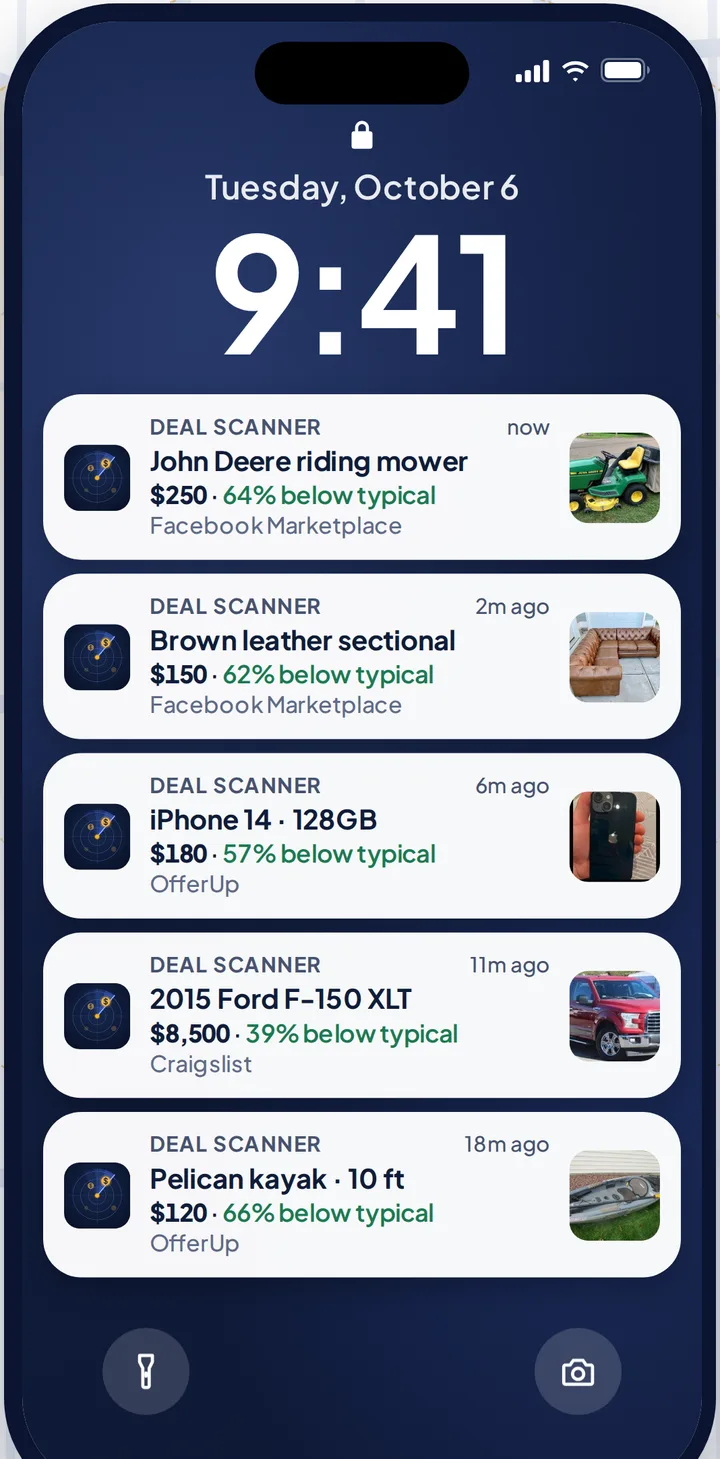
Every search sits in one list on the Searches tab. Pause it or delete it there. No digging through a search bar, no bell to toggle, no search that comes back from the dead.
| Facebook saved search | Deal Scanner search | |
|---|---|---|
| Where your searches live | Not documented; under the search bar in some versions | One Searches tab |
| Deleting one | Turn the bell off, or the X if your version shows it | Delete it from the Searches tab |
| Low price limit | No | Yes |
| Marketplaces | Facebook Marketplace, OfferUp, Craigslist | |
| Turns itself off | Yes, in our use | No, runs until you pause or delete it |
| Cost | Free | $3.99 a month, cancel anytime |
Three searches are $3.99 a month, cancel anytime in your phone's subscription settings. Bought the snowblower? Delete the search, or cancel. Pay for the month you're looking. Cancel when you've got it. If you check Marketplace every day, whether flipping is your side thing, your whole job, or not the point at all, there are 6 searches for $9.99 and 12 for $19.99, and yearly gives you two months free.
More: Facebook Marketplace alerts, Facebook Marketplace saved searches, saved search notifications not working and Marketplace notifications that won't go away. The other two marketplaces: Craigslist alerts and OfferUp alerts. Every alert app compared, prices checked on their own sites: best Facebook Marketplace alert apps.
FAQ
How do I delete a saved search on Facebook Marketplace?
Tap the Marketplace search bar, find the saved search, and tap the X or three-dot menu next to it if your version shows one. If not, run the search and tap the bell or Notify me on the results page so it goes off. On a computer, search the same words and turn off Notify Me under the search bar.
Where are my saved searches on Facebook Marketplace?
Facebook doesn't publish a list page. In the app they show when you tap into the Marketplace search bar, before you type. On a computer, click into the Marketplace search bar, or run the search and look at the Notify Me button.
Why won't my saved search delete?
Usually the app and the website are out of sync. Update and restart the app, delete it on a computer as well, clear the Facebook app's cache on Android, and log out and back in. If it still sticks, report it to Facebook and turn off saved search notifications so it stops buzzing.
Can I delete all my saved searches at once?
There's no delete-all button. You can stop all of them from notifying you at once: Marketplace profile → Settings → Notifications → Saved searches off.
Does clearing my search history delete saved searches?
No. Recent searches are history; saved searches are alerts. Clearing history under Accounts Centre → Search history leaves saved searches and their notifications alone.
How do I stop Marketplace notifications without deleting the search?
Turn off the Saved searches category under Marketplace profile → Settings → Notifications. The search stays; the buzzing stops.
Sources checked
Facebook Help Center: "Turn your Facebook Marketplace notifications on or off," "Clear your recent Facebook searches," "Remove saved items on Facebook Marketplace" and "Troubleshoot something that's not working on Facebook"; Zoopy's Facebook Marketplace saved searches guide; the Marketplace app and website; our own Facebook Marketplace saved searches guide. Checked November 4, 2026. Facebook changes these labels between versions; email us if yours differ.
Also: Facebook Marketplace alerts OfferUp alerts Craigslist alerts Compare 14 alert apps Alert app for iPhone and Android Free alert options Marketplace scanner Marketplace monitor One app for all three Notifications not working? Set up Facebook's own alerts Swoopa alternatives Swoopa pricing Flipify alternatives DealScout alternatives