 Deal Scanner
Buying used
Buying a used Xbox or PlayStation from a private seller
How to buy a used PS5, PS4 or Xbox from a private seller: which model, disc or digital, seeing it run before you pay, the HDMI port, the fan, the disc drive, controller stick drift, the account sign-out and factory reset, console bans, the serial number, what a used PS5 costs right now, the scams, and how to hear about the right one when it is posted.
A used Xbox or PlayStation from a private seller is a good buy if you see it turn on, show a picture, connect to the internet, sign in online, and run a game for ten minutes without the fan screaming or the console shutting off. Then the seller signs out and factory resets it in front of you. That is the whole test, and it takes about twenty minutes. Never buy one you have not seen running, and never buy one that is still signed in to someone else's account. The typical asking price for a used PlayStation 5 in Deal Scanner's own listings is $450. The details are below, along with how to be the first one to the good listing.
Which one
- PlayStation 5. Three shapes. The original, sold from 2020, is the big one. The slimmer model replaced it in late 2023 and has a disc drive that clips on and off. The PS5 Pro is the powerful, expensive one, and it is sold without a disc drive.
- Disc or digital. A Digital Edition PS5 has no disc drive. You can only buy games from Sony's store, which means no used games, no borrowing a disc from a friend, and no selling a game when you finish it. On the slim models a drive can be added later; on the original Digital Edition it cannot.
- Xbox Series X. The big black tower. The powerful one, and most of them have a disc drive.
- Xbox Series S. The small white one. No disc drive, less storage, and it runs games at a lower resolution. It is the cheap way in, and it is fine on a bedroom TV. Just know that a Series S "with 10 disc games" is a listing from someone who does not know what they are selling, or does.
- PS4 and Xbox One. The generation before. Cheap, and still good for a younger kid or for older games. Most new games no longer come out for them, so do not pay much.
Before you shop, decide two things: disc drive or not, and how much storage. Listings say "PS5" or "Xbox" and nothing else, and those two things move the price more than anything.
Before you drive out
- Get the exact model. Ask for a photo of the label on the back or the bottom. It has the model number and the serial number on it. "PS5, works great" is not a model.
- Ask for a video of it running. Turning on, reaching the home screen, and starting a game. A seller with a working console can shoot that in one minute. A seller who sends a photo of a box cannot.
- Ask what comes with it. A controller, the power cable and the HDMI cable at least. On a slim PS5, ask whether the disc drive is included and attached. A second controller, a charging dock, a headset and games all change what the price means. A new controller is real money.
- Ask whether it has ever been opened or repaired, and why they are selling. "Upgraded" and "kid lost interest" are normal answers. "It just needs a new HDMI port" is a repair bill.
- Ask whether it has ever been banned or had trouble going online. You will check this yourself, but the answer tells you something.
- Tell them you want to see it run and watch the reset before you pay. A real seller says sure. If they will only hand it over in a parking lot, switched off, it is priced as untested or it is a pass.
- Bring a disc game if it has a drive. Any game for that console. It is the only way to test the drive.
Seeing it run
You cannot test a console in a parking lot, so this is the one buy where you ask to see it plugged in. On their TV, on the porch with an extension cord, wherever. Bring a friend and go in daylight.
- Look it over first. Cracks, a dented corner, or a case that does not sit flush means it was dropped or opened. Look at the screws and the warranty sticker if it has one. Look into the vents with a flashlight. Dust is normal. A thick gray mat, or a smoke and nicotine smell, means it has been breathing badly for years.
- Check the HDMI port. Shine a light into it. The little tongue inside should be straight and the port should not wiggle. This is the port that gets wrecked when a console is moved with the cable still in, and it is the most common repair there is. A picture that flickers, sparkles or drops out when you touch the cable is the same problem.
- Turn it on from cold. It should reach the home screen in under a minute with no error screen, no safe mode, and no blinking light that never settles.
- Connect it to the internet and sign in. Use their Wi-Fi or the hotspot on your phone. It should find the network, connect, and reach the PlayStation or Xbox network. This is also how you find a banned console. Sony and Microsoft can ban a console itself for cheating or a stolen card, a banned one cannot go online, and no reset fixes it. If it will not sign in to the network, walk.
- Run a real game for ten minutes. Not the menu. A big game makes the console work. The fan will get louder, and that is fine. A fan that sounds like a hair dryer, a rattle or a grinding noise, an overheating warning, or the console shutting itself off is not fine.
- Test the disc drive. Put your disc in. It should pull it in, read it, start the game or the install, and give it back when you eject. Grinding, clicking or a disc it will not recognize is a dead drive. On a slim PS5 with the clip-on drive, make sure the console actually sees the drive.
- Test every controller. Press every button and both triggers. Then let go of the sticks and watch the screen in a game or a menu. If the view or the cursor creeps on its own, that is stick drift, and it only gets worse. Plug the controller in and make sure it charges. Then unplug it and make sure it still works wirelessly.
- Check the USB ports. Plug the controller cable into each one.
- Check the storage. In the settings, the storage page should show the full size the model is sold with, and it should not throw an error.
- Check the picture. No lines, no green or purple tint, no flicker. If it looks wrong, try a second cable before you blame the console.
The account and the reset
This is the part people skip, and it is the part that bites.
A console that is still signed in to the seller's account is not yours yet. The games you see on it belong to that account, not to the console. The seller can sign in somewhere else, change the password, and those games are gone. Worse, a console tied to someone else's account can be a headache to set up as your own.
So before money changes hands:
- Have the seller sign out and factory reset it while you watch. On a PlayStation 5 it is in Settings, under System, System Software, Reset Options, Reset Your Console. On an Xbox it is in Settings, under System, Console info, Reset console, and the choice that removes everything. It takes a few minutes.
- Watch it come back to the first-time setup screen. The language picker. That is what a clean console looks like.
- Do not pay extra for "comes with my account and 40 games." Selling an account is against both companies' rules, the seller can take it back with a password reset, and you have no way to prove it was ever yours. Games on discs are yours. Games on an account are theirs.
If the seller says they "forgot the password" and cannot sign out, that is not your problem to solve. Walk.
What a used console costs
The typical asking price for a used PlayStation 5 is $450, and half of listings ask between $350 and $529. That is from 182 listings Deal Scanner saw on Craigslist and OfferUp in late October 2026. The area-by-area numbers are on our used PlayStation 5 prices page. They are asking prices, not sale prices, and a listing under $350 is in the cheapest quarter, which is where the bargains and the scams both live.
We do not have a number for the Xbox yet, so this page does not give one. Do it the plain way: look up what the exact model costs new today, then look at the last several like it listed near you.
What pushes a price down: no disc drive, the smaller storage size, one worn controller, no box, a scuffed case. What pushes it up: a disc drive, a second controller, a charging dock, disc games you actually want, and the box and receipt. Do not pay much for a pile of old sports games. Do pay attention to the receipt, because it proves where the console came from and tells you whether any warranty is left.
When to buy
Right after the holidays. In January people sell the console they replaced, the one they got two of, and the one the kid already ignores. There are more listings and fewer buyers.
November and December are the opposite. Everybody is shopping for the same thing, and so is the week before a big game comes out. If you are reading this in November, a fair-priced console will be gone the same day it is listed. That does not mean wait. It means be the first to message, which is the last part of this page.
The scams and the walk-away signs
Game consoles are one of the most scammed things on any marketplace, because they are small, everybody wants one, and the price is easy to believe.
- A deposit to hold it, or a console that "ships." No. Not by Venmo, Zelle, Cash App or a gift card. Too good to be true means it is.
- A sealed box you are not allowed to open. Sealed boxes get re-taped with a brick, a broken console or an old one inside. Open it and plug it in, or do not buy it.
- Photos of a box, or photos pulled from a store's website. Ask for a photo of the console next to a piece of paper with today's date on it.
- "PS5 box" or "PS5 photo" in small print. Read the whole listing. People do sell the empty box.
- A new-looking PS5 at half of what the others ask. The cheapest quarter is where the bargains live. Half price is not a bargain, it is bait.
- A serial number sticker that is peeled off or scratched out. That is a stolen console or one that is banned. Walk.
- Will not turn it on, will not connect it to the internet, or will not sign out. There is a reason.
- Meet me somewhere else, bring cash, come alone. No console is worth that.
Pay when you have seen it run and seen it reset. More on the common ones is on Facebook Marketplace scams and is Facebook Marketplace safe.
Why this page exists
I was looking for a cheap car to save on gas and keep miles off my truck. Something that ran and didn't need a new engine or a timing belt. Every time I found one and messaged the seller: sorry, already sold, or there's ten guys ahead of you. And the listing was posted yesterday, or two days ago. I had work all day. You can't sit there refreshing Marketplace every five minutes. It took me almost two months to find a car, and honestly I just got lucky. You have to see the deal for it to happen.
Is the price good?
The honest comparison is with the last several consoles like it asking near you right now. Deal Scanner does this for you: once a search has seen a few listings, each new one gets a Deal Score showing how far under the typical asking price for that search near you it sits. The ones far below typical are the ones worth the drive, after the console runs, goes online and resets.
Hearing about it first
A PS5 with a disc drive and two controllers at a fair price goes to the first person who messages. It was the same with my car. Posted two days ago. Ten guys ahead of you. A console is worse, because it fits in a backpack and half the town wants one for Christmas.
Facebook's own saved-search alerts are hours to days late, loosely filtered, and turn themselves off, so the notification tends to land after the console is gone. The fixes for Facebook's alerts are on Facebook Marketplace alerts; OfferUp's and Craigslist's own alerts, and how to set them, are on OfferUp alerts and Craigslist alerts.
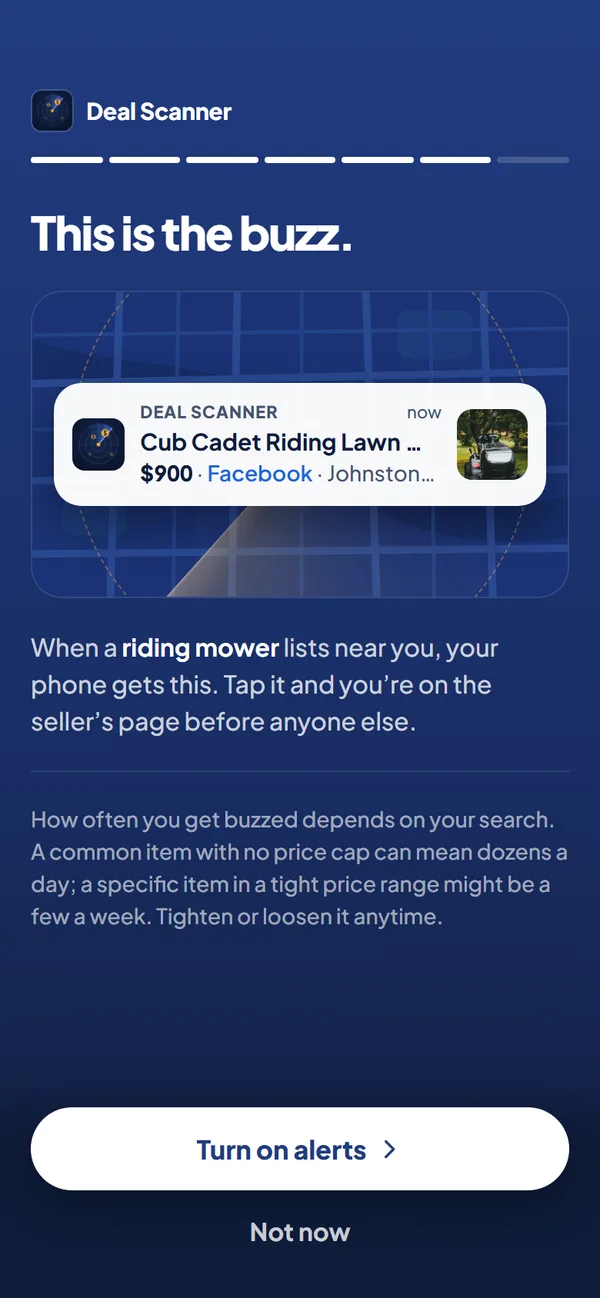
Or set one Deal Scanner search: "PS5" or "Xbox Series X", your town, how far you would drive, and a price range with a low limit high enough to keep controllers, games, headsets and empty boxes off your phone. Deal Scanner watches Facebook Marketplace, OfferUp and Craigslist from that one search, with the app closed, drops most of the accessories and lookalikes, and buzzes you when a listing is posted, Deal Score attached and stamped with when it found it. If a seller drops the price on one you were already alerted about, it buzzes you again with the old price and the new one. Three searches are $3.99 a month, and you cancel anytime in your phone's subscription settings. Pay for the month you're looking. Cancel when you've got it. If you would take either console, use one search for each.
The other apps that do this are priced like business software, for people who flip for a living. The list, with each app's price checked on its own site, is on best Facebook Marketplace alert apps. If the console is one stop on a longer list, our first car guide and used furniture guide work the same way.
FAQ
What should I check when buying a used PS5 or Xbox?
See it turn on, show a clean picture, connect to the internet, sign in to the PlayStation or Xbox network, and run a game for ten minutes without overheating. Check the HDMI port, the disc drive with a real disc, and every controller for stick drift. Then watch the seller sign out and factory reset it.
How much should I pay for a used PS5?
The typical asking price is $450, with half of listings between $350 and $529, from 182 listings Deal Scanner saw in late October 2026. A disc drive, a second controller and games push it up. Compare with what the exact model costs new and with similar ones near you.
How do I know if a used console is banned?
Connect it to the internet and sign in to the PlayStation or Xbox network before you pay. A banned console cannot go online, and a factory reset does not fix it. If the seller will not let you connect it, walk.
Should the seller factory reset the console before I buy it?
Yes, and in front of you. A console still signed in to the seller's account is tied to them, and the games on it belong to their account. After the reset it should come back to the first-time setup screen.
Is a console that comes with an account full of games a good deal?
No. The games belong to the account, the seller can take the account back with a password reset, and selling accounts is against Sony's and Microsoft's rules. Pay for the console, the controllers and any disc games.
Is it safe to buy a sealed PS5 from a private seller?
Only if you can open it and plug it in before you pay. Sealed boxes are a common scam, because a re-taped box can hold anything. A seller who will not let you open it is the answer.
What is stick drift and how do I test for it?
Stick drift is when a controller's thumbstick sends movement on its own. Let go of both sticks in a game or a menu and watch for the view or the cursor creeping. It gets worse over time, and a new controller is real money, so price it in.
When is the best time to buy a used Xbox or PlayStation?
January, when people sell duplicates, upgrades and gifts nobody plays. November and December are the most crowded months, so fair-priced consoles sell the day they are listed.
How do I get alerts when a PS5 or Xbox is listed near me?
Set a Deal Scanner search for "PS5" or "Xbox Series X", your town, a radius and a price range. It watches Facebook Marketplace, OfferUp and Craigslist and buzzes your phone when a match is posted, with a Deal Score against the typical price near you.
Sources checked
TechRadar's what to look for when buying a second-hand PS5 (refurbished, warranty, testing ports, disc reader and controller); iTechPost's 7 things to check when purchasing a used PS5 (physical condition, ports, wireless, controllers, noise, cooling, warranty); Simple Game Guide's what to check when buying a used PS5 (condition, function, accessories, reset and account status, price and seller); Swappa's how to inspect a used console before you buy (headings and summary only, the page would not load for us); Deal Scanner's own used PlayStation 5 price page, generated October 27, 2026; Facebook's, OfferUp's and Craigslist's own safety pages on meeting and payment. Checked November 13, 2026.
Also: Buying a used kayak Buying a used zero-turn mower Buying a used camper Buying a used jet ski Buying a used generator Buying a used snowmobile Buying a first car Buying a used snowblower Best things to flip on Facebook Marketplace Buying a used boat Buying a used dirt bike Buying a used four-wheeler Buying a used golf cart Buying a used lawn mower Buying a used motorcycle Buying a used trailer Buying a used truck Buying used appliances Buying used furniture Buying used tools Facebook Marketplace fees Facebook Marketplace scams Marketplace tips for buyers How to find deals on Facebook Marketplace How to negotiate on Facebook Marketplace Is Facebook Marketplace safe Facebook Marketplace alerts OfferUp alerts Craigslist alerts Compare 14 alert apps Alert app for iPhone and Android Free alert options Marketplace scanner Marketplace monitor One app for all three Notifications not working? Set up Facebook's own alerts Swoopa alternatives Swoopa pricing Flipify alternatives DealScout alternatives